Upgrade To TARGIT Decision Suite 2026

We handle the upgrade. You start using what's new. Unlock exciting new features and easily keep up with future releases by upgrading to the latest version of TARGIT Decision Suite.

Happy, laptop and search with business woman in office for social media, networking and corporate. Smile, planning and technology with employee in digital agency for entrepreneur, internet and email
putting-together

Why Upgrade Now? 

Realize the full value of your data! Upgrade to the newest version of TARGIT Decision Suite now 
to discover the benefits:

  • Get full access to the latest features and product updates
  • Enjoy improved performance across your TARGIT solution
  • Move to a cloud-ready infrastructure to pave the way for migration
  • Easily keep up with future releases and updates

What You've Been Missing

Three years of product releases. 10+ major features. Here's what customers on 2026 have access to that you don't.

new-feature-ai-forecasting

Stop Guessing. Start Forecasting.

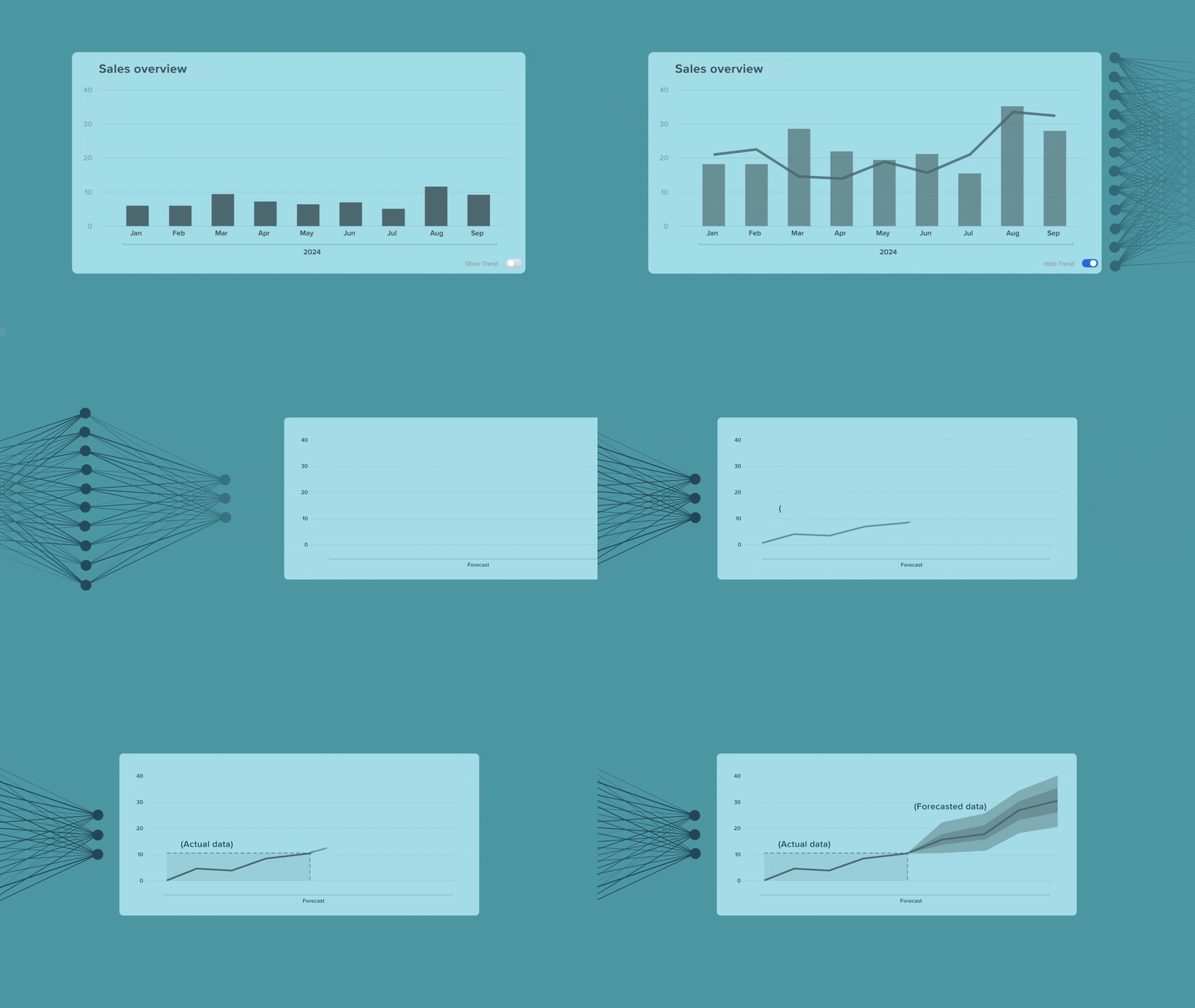
Build intelligent forecasts directly from your TARGIT data using advanced time series models — no data science background required. Run long-term forecasts in ETL Studio or quick ad-hoc projections inside any crosstab.

See how AI Forecasting works

WHAT CHANGES WHEN YOU UPGRADE

What to Know Before You Upgrade

We believe in giving you the full picture before you commit. Here's what changes, and what you'll need to do to prepare.

What You'll Gain

  • Full access to all features released since your current version
  • Improved server performance — the TARGIT Server now handles more tasks simultaneously
  • Cloud-ready infrastructure for future migration flexibility
  • Automatic access to all future 2025 releases and updates
  • 6 months of free unlimited access to our eLearning resources
     

What's Been Retired

The following features have been removed in versions since 2019. If you use any of these today, you'll need to migrate before upgrading.

  • Classic Reports (removed in 2021 Update 3) → How to convert classic reports →
  • Navigation Bar  (removed in 2019) → Replaced by the new menu structure
  • Sentinels (removed in 2019) → Replaced by improved alert functionality
  • Drillpad (removed in 2019)
  • Storyboards (removed in 2019) → Replaced by Slideshows. Old storyboards must be saved as slideshows before upgrading.
  • 32-bit Windows Client (removed in 2021)
  • Obsolete Documents (removed in 2022 Winter Update 2) → (How to handle obsolete documents →)
  • Impersonation (removed in 2021 Update 3) → "Effective User" is still supported

Note on Canvas: Document sizes are now fixed (introduced in 2019). If you're upgrading from an earlier version, this may require layout adjustments.

Technical Requirements

Choose Your Upgrade Package

Both packages include a complete upgrade of your production environment and six months of free eLearning access. We handle the technical work; you define the timeline.
 

TARGIT 2017 Update 4 or Later

For customers on version 2017 Update 4 through 2022

What's included:
- Production environment upgrade to TARGIT Decision Suite 2026
- 6 months of free unlimited eLearning access

What's not included:
- Classic report conversion *(add-on available — contact us)*
- Saving of obsolete documents in new format

Effort: Typically completed in half a day with no disruption to your live environment
Upgrade cost: 4 consultancy hours
 

TARGIT Earlier Than 2017 Update 4

For customers on versions prior to 2017 Update 4

What's included:
- Test server upgrade (required before production)
- Production environment upgrade to TARGIT Decision Suite 2026
- 6 months of free unlimited eLearning access

What's not included:
- Classic report conversion *(add-on available — contact us)*
- Saving of obsolete documents in new format

Some manual adjustments to charts and objects may be needed after upgrading from 2017 Update 4 and earlier.
Upgrade cost: 6 consultancy hours

Not sure which package is right for you?

UPGRADE PROCESS

How the Upgrade Works

A dedicated TARGIT consultant manages your upgrade from start to finish. Here's what to expect.

major-upgrade-steps-timeline-graphic

A dedicated contact person on your side will be needed to handle specific upgrade-related tasks and keep communication flowing between your team and ours. We'll confirm who that is during the intro call.

implementation

TARGIT Upgrade: What, Why, and How?

Not ready to book yet? Watch our on-demand webinar for a full walkthrough including version-specific milestones, a live demo of the upgrade process, and answers to the most common questions we get from customers.

Start Taking Advantage of the Latest and Greatest TARGIT Features

Upgrade today to enjoy new features, bug fixes, and instant access to what's new in TARGIT. Reach out to your account manager or get in touch below to start mapping your upgrade path.